IBO Player Channels: Live TV Lineup & Categories Explained
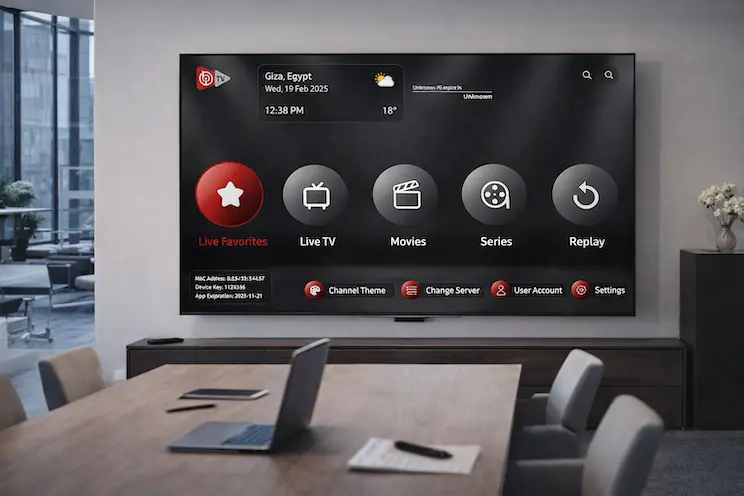
What Makes Up the IBO Player Channel Lineup
When people talk about IBO Player channels, they’re really describing the live TV portion of an IPTV subscription loaded into the app — the part that behaves most like traditional television, organized into a scrollable, category-based grid rather than fixed numbered slots. A well-built lineup spans international news, entertainment, documentaries, kids’ programming, regional channels, and sports, all pulled live from the provider’s servers rather than broadcast over the air, and updated continuously rather than fixed at the moment you first subscribed.
The actual number and quality of channels available depends entirely on which playlist subscription is loaded into the app, since IBO Player itself doesn’t come preloaded with any content — it simply displays whatever channel list your provider supplies.
Want to see the channel list before subscribing?
Request a Free Trial on WhatsAppHow IBO Player Channels Are Organized
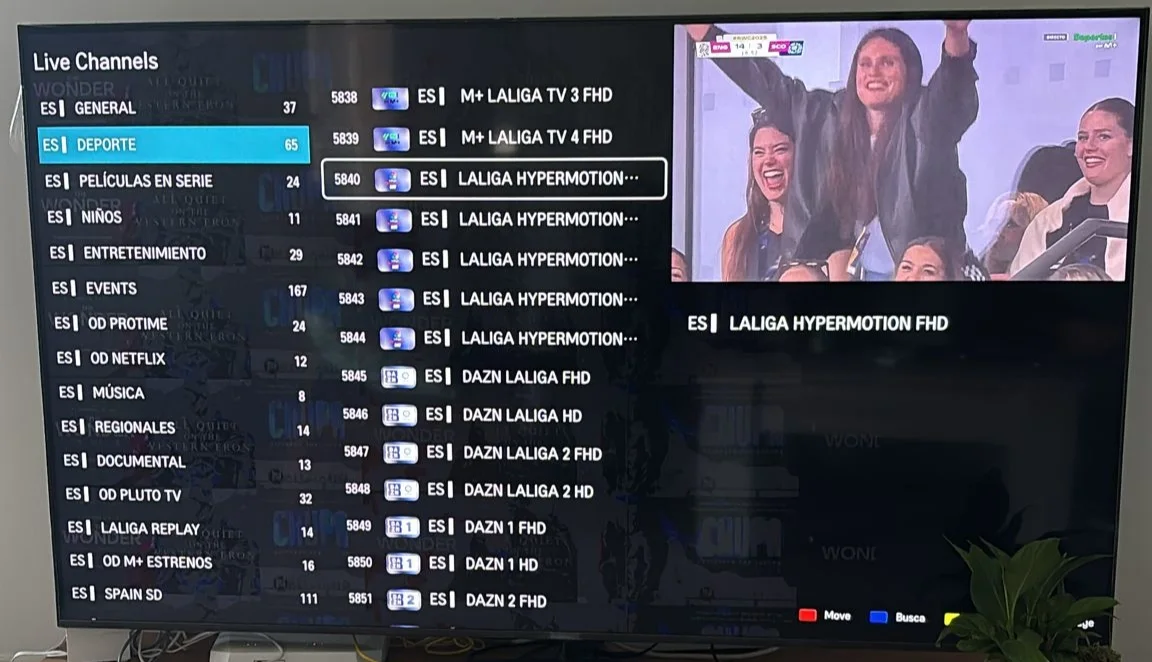
A properly maintained channel lineup groups content into clear categories rather than dumping everything into a single unsorted list. Typical groupings include:
- News: International and regional news networks, often grouped by country or language.
- Entertainment: General variety, talk shows, and lifestyle channels.
- Sports: Dedicated channels for football, basketball, tennis, motorsport, boxing, and more.
- Kids: Age-appropriate cartoons and children’s programming, usually separated for easy access.
- Documentaries: Nature, history, science, and true-crime style channels.
- Regional/Local: Country-specific channels grouped by region, particularly useful for expats or multilingual households.
The quality of this organization varies significantly between providers — a channel list with consistent naming, correct logos, and logical grouping is a strong signal of an actively maintained playlist, while a jumbled or duplicate-heavy list usually points to a poorly managed one.
Channel Quality Tiers: SD, HD, FHD, 4K, and 8K
Most IBO Player channel lists offer more than one quality option per channel, letting you balance picture quality against your available bandwidth. Standard Definition (SD) uses the least data and works even on slower connections, while HD and Full HD (FHD) offer noticeably sharper detail for a moderate bandwidth increase. On premium playlists, select channels — often major sports and entertainment networks — are also available in 4K, and increasingly 8K, for viewers with strong enough connections and compatible displays to take advantage of it.
It’s worth noting that quality labels aren’t always consistent across providers, so a channel marked “HD” on one playlist isn’t guaranteed to match the same bitrate as an “HD” channel on another. Testing during a free trial is the most reliable way to judge actual picture quality rather than relying purely on the label.
Understanding the EPG (Electronic Program Guide)
Alongside the channel list itself, a good IBO Player subscription includes EPG data — the mini schedule that shows what’s currently airing and what’s coming up next when you press info on a channel. This data is pulled from the same server as the channel list, so a playlist with weak EPG support will leave those fields blank or inaccurate, even if the channel itself streams perfectly fine.
EPG accuracy matters more than people initially expect, since it’s what turns a raw list of channel numbers into something genuinely browsable — being able to glance at a program guide and decide what to watch next is a core part of what makes live TV usable rather than just a wall of unlabeled streams.
Sports Channels: A Category Worth Extra Scrutiny
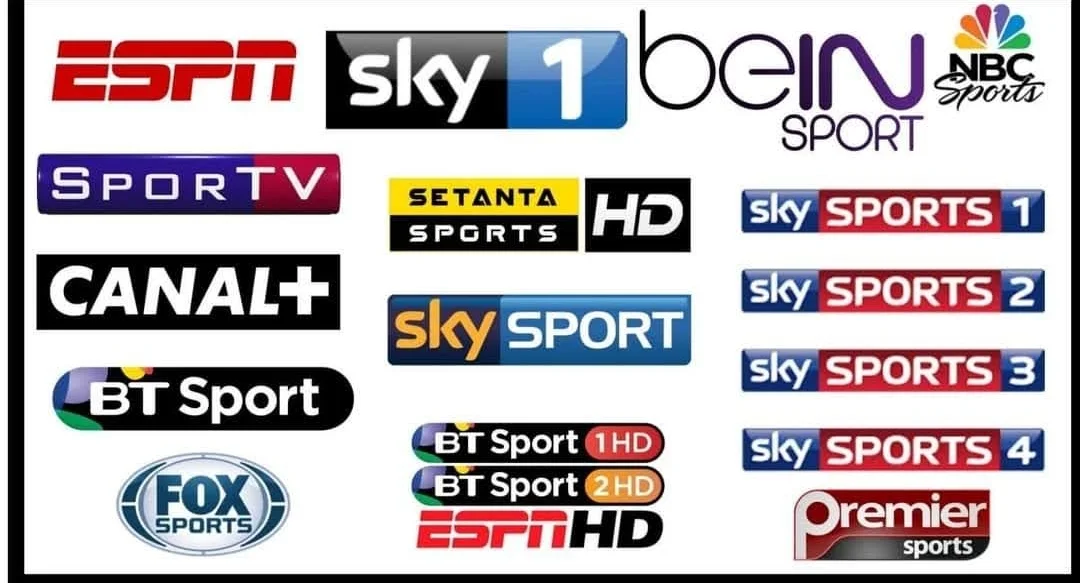
Sports coverage tends to be the most demanding category in any IBO Player channel lineup, both in terms of variety and server stability. A strong sports section typically covers major football leagues, the Champions League, tennis majors, motorsport, boxing, and combat sports, often with multiple channels dedicated to the same league from different broadcasters. This matters because a single provider might lose the rights to broadcast a specific match, and having overlapping coverage from more than one source improves your odds of catching everything you care about.
Server capacity is the other half of the equation. Sports events routinely draw far more simultaneous viewers than any other content category, which is exactly when weaker providers tend to buffer or drop. A dependable sports lineup should hold up during marquee matches without noticeably degrading.
Looking for full sports channel coverage?
Ask Us on WhatsAppRegional and Multi-Language Channel Support
One of the clearer advantages of an IBO Player channel lineup over a standard domestic cable package is regional breadth. Rather than being locked to a single country’s channels, a broad subscription typically groups content by language and region, giving access to German, French, Spanish, Arabic, English, and many other language channels from the same interface.
This is particularly valuable for multilingual households and expats who want to keep up with news and entertainment from more than one country without juggling separate subscriptions or devices. When comparing providers, it’s worth checking whether regional categories are genuinely well organized rather than dumped into a single unsorted “International” folder.
Favorites and Custom Channel Organization
Most versions of IBO Player let you build a Favorites list, which becomes especially useful once you’re working with a lineup spanning tens of thousands of channels. Rather than scrolling through full categories every time, marking your regularly watched channels as favorites creates a shortlist you can jump to directly. This is a small feature that ends up mattering a lot in daily use, particularly in households where different family members have different regular channels they check.
How Often Should the Channel List Update?
Channel lineups aren’t static — networks rebrand, streams occasionally go down and need replacing, and new channels get added over time. A well-maintained IBO Player subscription monitors its channel list continuously rather than setting it up once and leaving it untouched, which means broken or renamed channels get fixed quickly rather than sitting dead for weeks. When evaluating a provider, it’s reasonable to ask how frequently their channel list is checked and updated, since this single factor has an outsized impact on long-term satisfaction compared to the initial channel count advertised at signup.
Troubleshooting Common Channel Issues
- A specific channel won’t load: Usually an issue on the provider’s server side for that individual stream — report it so they can fix or replace the link.
- Channel logos or names are missing: Typically a metadata issue on the playlist rather than anything wrong with your device — this is a sign the list may not be actively maintained.
- Channels freeze during peak hours but work fine otherwise: Points to server capacity issues on busy nights, especially during major sports events.
- Duplicate channels appearing multiple times: Common on poorly curated lists — a sign worth factoring into your decision if you’re still comparing providers.
- EPG shows no program information: Sometimes takes a few hours to populate after first loading a playlist, but persistent blank EPG data across many channels usually means weak guide support from that provider.
Comparing Channel Counts: Why Bigger Isn’t Always Better
Advertised channel counts can be misleading if taken at face value. A list boasting 100,000 channels that includes heavy duplication, dead links, and poorly labeled entries is often less useful in practice than a tightly curated 20,000-channel lineup where nearly everything actually works. When comparing providers, it’s more useful to check specific categories you personally care about — your regional channels, your preferred sports leagues, your kids’ programming — rather than judging purely by the total number quoted in a sales page.
Testing Channels Before You Subscribe
A short free trial remains the most reliable way to judge an IBO Player channel lineup firsthand. During a trial, it’s worth specifically checking whether your most-watched channels are present and stable, whether the EPG populates correctly, and whether picture quality holds up on your actual device rather than relying on marketing screenshots. A trial that performs well across these checks is a far stronger signal of long-term reliability than any advertised channel count on its own.
News and Entertainment Channels: What to Expect
The news and entertainment side of IBO Player channels tends to be where day-to-day variety matters most. Beyond sports, a well-rounded lineup covers major international news networks alongside country-specific outlets, giving you the option to follow global coverage or a specific region’s perspective depending on what you’re interested in that day. Entertainment channels typically span variety programming, talk shows, reality content, and lifestyle networks, often duplicated across several countries so you’re not limited to a single broadcaster’s schedule.
Quality here tends to be more consistent than in the sports category, since entertainment and news channels don’t experience the same simultaneous viewer spikes that sports events do. Still, it’s worth spot-checking a handful of your regularly watched news and entertainment channels during a trial to confirm they load cleanly and carry accurate EPG data before committing to a longer subscription.
Documentary and Niche Channel Categories
A frequently overlooked strength of IBO Player channels is depth in niche categories that a standard cable package often skips entirely — dedicated nature, history, science, true-crime, and lifestyle documentary channels. These categories tend to have lower simultaneous-viewer demand than sports or prime-time entertainment, which generally means more consistent stream quality even during otherwise busy hours. If documentaries are a significant part of your viewing habits, it’s worth checking how deep this category actually goes with a given provider rather than assuming it’s included just because the overall channel count looks large.
How Channel Categories Differ Between Providers
Not every provider organizes their IBO Player channels the same way, and category structure is a genuinely useful comparison point beyond raw channel counts. Some providers group channels primarily by country, which suits viewers focused on a specific region’s content. Others organize primarily by genre across all regions combined, which works better for viewers who care more about content type than country of origin. Neither approach is objectively better — the right structure depends entirely on how you personally browse and what you’re most likely to search for first when picking something to watch.
Channel Stability During Peak Hours
Beyond the sports-specific stability concerns already covered, general peak-hour performance across the full IBO Player channel lineup is worth understanding separately. Evening hours in any given time zone naturally see the highest concurrent viewership across a provider’s entire server infrastructure, not just for sports. A provider running load-balanced, properly resourced servers should handle this daily peak without noticeable degradation across news, entertainment, and kids’ categories alike — if buffering is limited specifically to certain hours across many different channel types, that’s a stronger signal of underlying server capacity issues than any single channel being broken.
Kids’ Channels: A Category Worth Checking Closely
Families relying on IBO Player channels for a meaningful part of their daily viewing often get the most practical value from a well-curated kids’ category. Beyond simply grouping cartoons together, a genuinely useful kids’ lineup separates content by rough age range, avoids mixing in adult-oriented programming under the same category label, and updates regularly enough that younger viewers aren’t watching the exact same rotation for months.
Pairing this with a Favorites list of specifically approved channels gives an added layer of control when handing a remote to a child, since browsing is limited to a pre-selected shortlist rather than the full catalog.
What a Free Trial Reveals About Channel Quality
A short trial period is the fastest way to form a genuine opinion about any given set of IBO Player channels before committing to a paid plan. Rather than browsing casually, it helps to test with a specific checklist in mind: load your top five or six most-watched channels directly, check whether the EPG populates with accurate program information, and watch each for a few uninterrupted minutes during a normal evening viewing window rather than an off-peak hour.
A provider whose channels hold up cleanly across that quick test is a far more reliable signal than any number printed on a pricing page, and it takes only a few minutes to run through before making a longer-term decision.
Building a Channel List That Fits Your Household
Not every household needs the same slice of a large IBO Player channel lineup, and it’s worth thinking about your own viewing habits before judging a provider purely on total count. A household centered on sports and news might prioritize depth in those two categories above everything else, while a family-focused household might weigh kids’ programming and general entertainment more heavily than niche documentary channels.
Rather than trying to evaluate every category equally, identifying the two or three IBO Player channels categories that matter most to your household and testing those specifically during a trial gives a far more useful picture than attempting to judge the entire lineup at once. Once you’ve settled on a provider whose core categories perform well, organizing a Favorites list around your household’s actual habits — rather than the full raw channel list — is usually what determines whether the day-to-day experience feels smooth or cluttered.
A Quick Checklist Before You Subscribe
Before committing to a subscription, it helps to run through a short checklist specifically focused on IBO Player channels rather than the subscription as a whole. Confirm your must-have regional and sports channels are actually present by name, not just implied by a broad category count. Check that EPG data loads correctly for a handful of channels you tested. Watch each for a few minutes during a normal viewing window rather than a quiet off-peak hour, since that’s when weaker providers tend to show their limits.
Finally, ask directly how often the channel list itself gets reviewed and updated — a provider who can answer this clearly and specifically is generally more trustworthy than one who only repeats a large advertised channel count without further detail. Taking these few extra minutes before subscribing tends to save far more time later than it costs upfront.
Interface Speed and Channel Switching
When browsing IBO Player channels, how quickly the app responds when switching between them affects the day-to-day experience just as much as picture quality. A well-optimized playlist loads its full channel list within a few seconds of opening the app, and switching between channels should feel close to instant rather than requiring a multi-second buffer every time. Sluggish channel switching is sometimes a device limitation on older hardware, but if it happens consistently across multiple devices, it more likely points to how the playlist itself is structured on the provider’s end.
Category navigation speed matters too, especially with larger lineups. A list organized into logical, appropriately sized categories browses far more smoothly than one giant unsorted list requiring endless scrolling to find a specific channel — another reason category structure is worth paying attention to beyond raw channel count.
Getting the Best Long-Term Value From Your Channel Lineup
Once you’ve settled on a provider whose IBO Player channels perform well across the categories you care about, a few habits help keep the experience strong over time. Reporting broken or renamed channels promptly gives a maintained provider the chance to fix them quickly rather than letting them sit dead. Periodically revisiting your Favorites list as your viewing habits shift keeps daily browsing efficient rather than cluttered with channels you no longer watch regularly.
And checking in occasionally on newly added channels or categories — many providers expand their lineup gradually rather than all at once — can surface additions genuinely worth adding to your regular rotation that you might otherwise miss entirely.
Final Thoughts
The real value of an IBO Player channel lineup isn’t the raw number quoted on a pricing page — it’s whether the categories you personally care about are well organized, actively maintained, and stable during the times you actually watch. Test the specific channels that matter to you during a free trial, pay attention to EPG accuracy and update frequency, and treat channel breadth as a starting point for comparison rather than the only factor that matters. A little extra diligence before subscribing pays off in a noticeably smoother experience once you’re actually watching day to day.
Ready to see the full channel list?
Get Your Free 24-Hour TrialFrequently Asked Questions
How many IBO Player channels are typically included?
This varies by provider, but a well-maintained subscription commonly spans tens of thousands of channels across news, entertainment, sports, kids, and regional categories.
Are all channels available in HD?
Most channels offer at least SD or HD options, with premium playlists offering FHD, 4K, and select 8K streams on top channels.
Why is the program guide (EPG) blank for some channels?
This can take a few hours to populate after first loading a playlist, but persistent blank data usually points to weaker EPG support from that specific provider.
Can I organize channels into a favorites list?
Yes, most versions of IBO Player support a Favorites feature for quick access to your most-watched channels.
Why does a channel randomly stop working?
Individual stream links can occasionally go down on the provider’s server side — this should be reported so it can be fixed or replaced.
Can I test the channel list before subscribing?
Yes — a short free trial is the best way to confirm your specific channels of interest are present and stable before committing to a plan.