IBO Player Activation: Codes, Licenses & Troubleshooting Explained
What Does “Activation” Actually Mean in IBO Player?
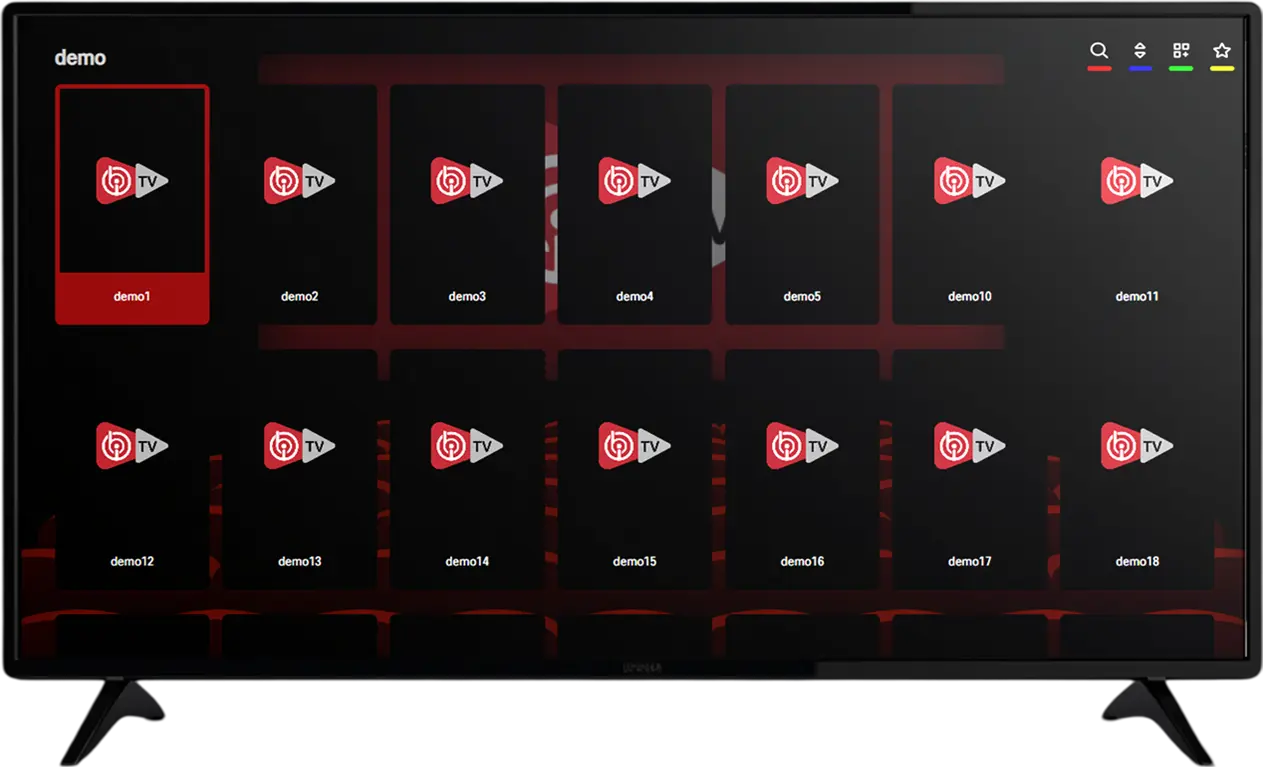
Anyone new to IBO Player quickly runs into a screen asking for an activation code before the app becomes usable. IBO Player activation is simply the process of unlocking the software itself using a code purchased separately from the app store download. Without a valid activation, the app either stays in a locked demo state or refuses to open the main interface at all, regardless of how the download itself went.
It’s worth being clear about what activation does and doesn’t cover. Activating the app unlocks the software license — it has no bearing on what channels, movies, or series you can watch. That content comes from a separate playlist subscription, which you load into the app after activation is complete. Confusing these two purchases is the single most common source of frustration for first-time buyers, so keeping them mentally separate from the start makes the whole setup process much smoother and avoids unnecessary back-and-forth with support later on.
Need an activation code today?
Order on WhatsAppTypes of IBO Player Activation Licenses
Providers typically sell IBO Player activation in one of two forms, and picking the right one depends on how long you plan to use the app:
- 1-Year Activation: Unlocks the app for twelve months from the date of activation. This is the more affordable upfront option and suits anyone who wants to test the waters or expects to switch devices within the year.
- Lifetime Activation: A one-time purchase that unlocks the app permanently, tied to the specific device or device key it was activated on. This works out cheaper over time for anyone planning to use IBO Player long-term on a fixed device.
Neither license type includes any playlist content — both simply unlock the app itself, with the playlist subscription remaining a fully separate purchase either way.
How the Activation Process Works, Step by Step
- Install IBO Player on your device from the appropriate store or sideload source for your platform.
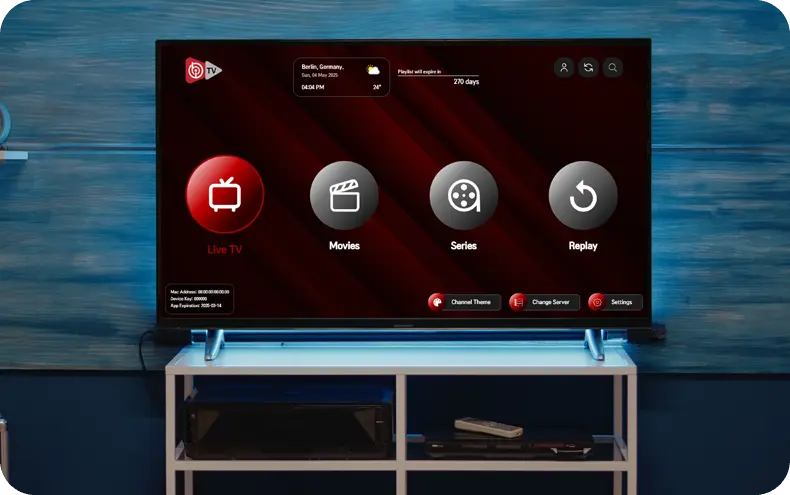
- Open the app and locate your unique Device Key or MAC address, usually displayed on the activation or settings screen.
- Send your Device Key to your provider so they can generate an activation code tied specifically to your device.
- Purchase your activation license — 1-Year or Lifetime — and receive your code, typically within a few minutes via WhatsApp.
- Enter the code into the app’s activation field exactly as provided, with no extra spaces or characters.
- Confirm activation succeeded — the app should unlock immediately, after which you can load your playlist subscription separately.
Why IBO Player Activation Is Tied to a Device Key
Unlike a generic username-and-password login, IBO Player activation codes are generated against a specific Device Key or MAC address unique to your installation. This is why an activation code purchased for one device won’t work on another — the code is cryptographically tied to the identifier you provided when ordering. This system exists mainly to prevent a single license from being copied and reused across unlimited devices, which keeps the overall service sustainable for legitimate users.
The practical implication is that if you plan to reinstall the app, switch to a new device, or factory-reset your streaming box, you’ll typically need a fresh Device Key sent to your provider so they can either transfer or reissue your activation. Most providers handle this quickly at no extra charge within a reasonable window after the original purchase, but it’s worth confirming this policy before buying, especially for a lifetime license you intend to keep for years.
Common Activation Errors and How to Resolve Them
- “Invalid activation code”: Almost always a typo — re-enter the code carefully, checking for confused characters like 0 (zero) versus O (letter), or 1 versus I.
- “Code already used”: This means the code was already redeemed on a different Device Key. If you haven’t reinstalled or reset your device, contact support immediately — it may indicate the code was issued incorrectly.
- “Activation expired”: Applies to 1-Year licenses once their twelve months are up. Renewal typically just means purchasing a new code and re-entering it.
- App reverts to locked/demo mode after a reboot: Usually caused by a corrupted app cache — clearing the app’s data and re-entering the activation code resolves this in most cases.
- Device Key changed after a factory reset: A factory reset generates a new Device Key, which breaks the link to your old activation. Send the new key to your provider to have your license reissued.
Activation vs. Renewal: Knowing the Difference
Activation and renewal are related but distinct events in the lifecycle of your IBO Player license. Activation is the initial unlock, performed once when you first set up the app on a device. Renewal applies specifically to 1-Year licenses and refers to purchasing a fresh activation period once the previous twelve months expire, typically using the same Device Key so your app settings and configuration carry over without needing a full reinstall.
Lifetime licenses don’t require renewal at all under normal circumstances, since the unlock doesn’t expire — the only scenario where a lifetime license needs re-issuing is if the underlying Device Key changes, such as after a factory reset or a full app reinstall on a new device.
Device-Specific Activation Notes
| Device Type | Where to Find the Device Key | Notes |
|---|---|---|
| Android box / phone | App settings or main activation screen | Most straightforward activation flow |
| Fire TV Stick | Activation screen on first launch | Same process as standard Android |
| Smart TV (Samsung, LG) | App info or activation panel | Key format may vary slightly by TV brand |
| MAG Box | Device MAC address, often printed on the unit | Activation may be portal-based rather than code-based |
| Enigma2 (Zgemma, Vu+) | Plugin settings menu | Activation handled through the installed plugin |
Not sure where to find your Device Key?
Ask Us on WhatsAppIs Activation the Same Across All IBO Player Versions?
Not always. IBO Player has gone through several versions over time, and while the underlying concept of a code tied to a Device Key remains consistent, the exact screen layout and field names can shift slightly between updates. If you’re following an older tutorial or screenshot and the activation screen looks different from what’s described, it’s likely just a version difference rather than a sign something is broken — the core process of retrieving your Device Key and entering a provided code stays the same.
Buying From a Reliable Activation Provider
Since activation codes are tied directly to your Device Key, buying from a provider who responds quickly and generates codes correctly the first time saves a meaningful amount of hassle. A few signals worth checking before purchasing: how quickly they respond to a pre-sale question, whether they clearly explain the Device Key submission process, and whether they offer any kind of replacement policy if a code fails to activate correctly due to an error on their end rather than yours.
It’s also worth asking directly whether Device Key reissuing is included if you ever need to switch devices, particularly for a lifetime license where you’re committing to a single provider relationship for the long term rather than a one-off transaction.
Renewing a 1-Year Activation Before It Expires
If you’re on a 1-Year license, it’s worth renewing slightly before the expiration date rather than waiting until the app locks itself. Reaching out to your provider a few days ahead of your renewal date typically means the new code is ready to enter the moment your current activation lapses, avoiding any gap where the app becomes temporarily unusable. Most providers can renew using the same Device Key on file from your original purchase, so the process is usually much faster than the initial activation.
Security Considerations Around Activation Codes
Treat your activation code the same way you’d treat any other purchased license key — avoid sharing it publicly or posting it anywhere it could be picked up and used by someone else, since a code tied to your Device Key generally can’t be reused on a different device without your provider’s involvement anyway, but sharing it unnecessarily still isn’t good practice. Keep a copy of your original purchase confirmation and Device Key somewhere accessible, since having these on hand speeds up any future support request significantly compared to searching through old messages.
Why Some Providers Require a Device Key and Others Don’t
Not every activation system works identically. Some providers issue a universal code that works on any device without a Device Key requirement, while others — including the more common setup for IBO Player activation — tie the code specifically to a hardware identifier. The device-locked approach is generally more secure from an anti-piracy standpoint, since a leaked code can’t simply be copy-pasted onto unlimited devices, but it does mean the activation and device are permanently linked unless the provider agrees to reissue it.
If you’re evaluating a provider and unsure which system they use, it’s a reasonable pre-sale question to ask directly. Knowing in advance whether you’re locked to a Device Key affects how comfortable you should be committing to a lifetime license versus starting with a shorter 1-Year term while you’re still deciding on hardware.
Activating on Multiple Devices
A single IBO Player activation code is generally valid for one Device Key at a time, which means using the app on more than one device — say, a living room TV box and a bedroom Fire Stick — typically requires a separate activation for each. Some providers offer multi-device bundles at a discount compared to buying individual activations separately, which is worth asking about if you know upfront that your household needs more than one screen running the app.
It’s worth noting this is a separate consideration from playlist connection limits, which govern how many devices can stream simultaneously using the same subscription. Activation and playlist connection limits are handled independently, so it’s possible to have multiple activated devices but a playlist plan that only allows one or two of them streaming at the same time.
What Happens If You Lose Your Activation Code
Misplacing the original activation code itself usually isn’t a major problem, since the code is only needed once during the initial activation — after that, the unlock is tied to your Device Key rather than requiring you to re-enter the code each time you open the app.
If you do need to reinstall the app or the activation somehow resets, contacting your provider with your original purchase details (order confirmation, payment reference, or the WhatsApp conversation where you originally ordered) is usually enough for them to look up and resend your activation without needing to repurchase.
This is one of several reasons it’s worth keeping a simple record of your purchase — a screenshot of the order confirmation or the WhatsApp thread — rather than relying purely on memory, especially for a lifetime license you might not need to touch again for a long stretch of time.
Troubleshooting a Stuck Activation Screen
Occasionally the activation screen itself fails to load properly or hangs indefinitely after entering a code, which is usually a connectivity or app-cache issue rather than a problem with the code. Restarting the device, confirming your internet connection is active, and force-closing and reopening the app resolves this in the majority of cases.
If the screen still hangs after that, uninstalling and reinstalling the app — followed by re-entering the same activation code against the same Device Key — typically clears it up, since this doesn’t count as a new activation attempt as long as the Device Key hasn’t changed.
Free Trials and Activation: How They Relate
Many providers offer a short free trial before you commit to a paid IBO Player activation, but it’s worth understanding what exactly gets tested during that window. A trial typically demonstrates the playlist side of things — live channels, VOD library, and stream stability — often through a temporary demo login rather than a full app activation.
This means a smooth trial experience is a strong signal about playlist quality, but it doesn’t necessarily test the activation and Device Key process itself, which only comes into play once you purchase a full license for the app. If you want to specifically confirm how smoothly the activation process goes with a given provider, it’s reasonable to ask directly during your trial period rather than assuming it will be identical to whatever demo access you were given.
Comparing 1-Year and Lifetime Activation Costs Over Time
Deciding between a 1-Year and Lifetime IBO Player activation often comes down to simple math over your expected usage period. A 1-Year license costs less upfront but needs repurchasing annually, while a Lifetime license costs more initially but eliminates renewal costs entirely going forward.
As a general rule of thumb, if you expect to use the app for more than two to three years on a device you don’t plan to replace soon, a lifetime activation usually works out cheaper in total; if you’re still deciding on your long-term setup or expect to switch devices within the next year, starting with a 1-Year license keeps your commitment smaller while you figure that out.
Getting the Most Out of Your Subscription
A well-run provider treats activation as an ongoing part of their service rather than a one-time transaction they forget about after payment. That typically shows up in small but noticeable ways: a clear explanation upfront of how to find your Device Key, a straightforward process for submitting it, and a willingness to reissue an activation without extra charge if something goes wrong on their end during the initial setup.
It’s reasonable to expect a response within minutes rather than hours when an activation issue comes up, given that most providers handle this over WhatsApp specifically because it allows fast back-and-forth troubleshooting. If a provider is slow or vague about activation-specific questions before you’ve even paid, that’s generally a preview of how responsive they’ll be afterward if you run into an issue with your Device Key or a renewal down the line.
Preparing Before You Contact a Provider
A little preparation before reaching out for IBO Player activation speeds up the entire process noticeably. Having your device model, the exact Device Key or MAC address, and a clear idea of whether you want a 1-Year or Lifetime license ready to send in your first message means a provider can typically generate and deliver your code in one exchange rather than several rounds of back-and-forth clarification.
It also helps to decide in advance whether you’ll be loading a playlist subscription at the same time or handling that as a separate step, since some providers offer bundled activation-plus-playlist deals that work out cheaper than purchasing each individually. Asking about this upfront, before completing your activation purchase, is the easiest time to take advantage of any bundled pricing if it’s available.
Recognizing an Unreliable Activation Seller
Since IBO Player activation revolves around a code generated specifically for your Device Key, the process leaves a fair amount of room for low-quality sellers to cut corners. A few patterns are worth watching for: pressure to pay before any Device Key is discussed at all, refusal to explain which license type (1-Year or Lifetime) you’re actually buying, or vague answers when asked what happens if the code doesn’t work on the first attempt.
A seller who explains the process clearly, confirms your Device Key before taking payment, and states plainly what their policy is if activation fails on their end is generally a safer bet than one who simply sends a code with no further explanation. This matters more for a Lifetime purchase than a 1-Year one, since a Lifetime activation is a longer-term relationship with whichever provider you choose, and a smooth first purchase is a reasonable early indicator of how future support requests will go.
Final Thoughts
IBO Player activation is a one-time (or once-a-year, for 1-Year licenses) technical step that’s easy to get right once you understand the Device Key relationship behind it. Keep your Device Key and purchase confirmation on hand, double-check codes carefully when entering them, and choose a provider who responds quickly if something needs reissuing. Once activation is done, the rest of the setup — loading your playlist subscription — is usually the quicker and easier half of the process. Taking the time to get activation right the first time saves far more hassle later than it costs upfront.
Ready to activate your app?
Get Your Activation Code on WhatsAppFrequently Asked Questions
What’s the difference between app activation and a playlist subscription?
Activation unlocks the IBO Player app itself. The playlist subscription is a separate purchase that supplies the actual channels, movies, and series.
How long does IBO Player activation take?
Once you submit your Device Key and complete payment, activation codes are typically delivered and ready to use within a few minutes.
Can I move a lifetime activation to a new device?
Yes, in most cases — you’ll need to send your new Device Key to your provider so they can reissue the activation to the new device.
What happens when a 1-Year activation expires?
The app reverts to a locked state until you purchase and enter a new activation code, typically using the same Device Key on file.
Why does it say my activation code is already used?
This means the code was already redeemed on a specific Device Key. Contact support if you haven’t reinstalled or reset your device recently.
Where do I find my Device Key?
It’s usually shown on the app’s activation or settings screen — the exact label can vary slightly depending on your device and app version.